Automation / 2026
ONBOARDING ASSISTANT
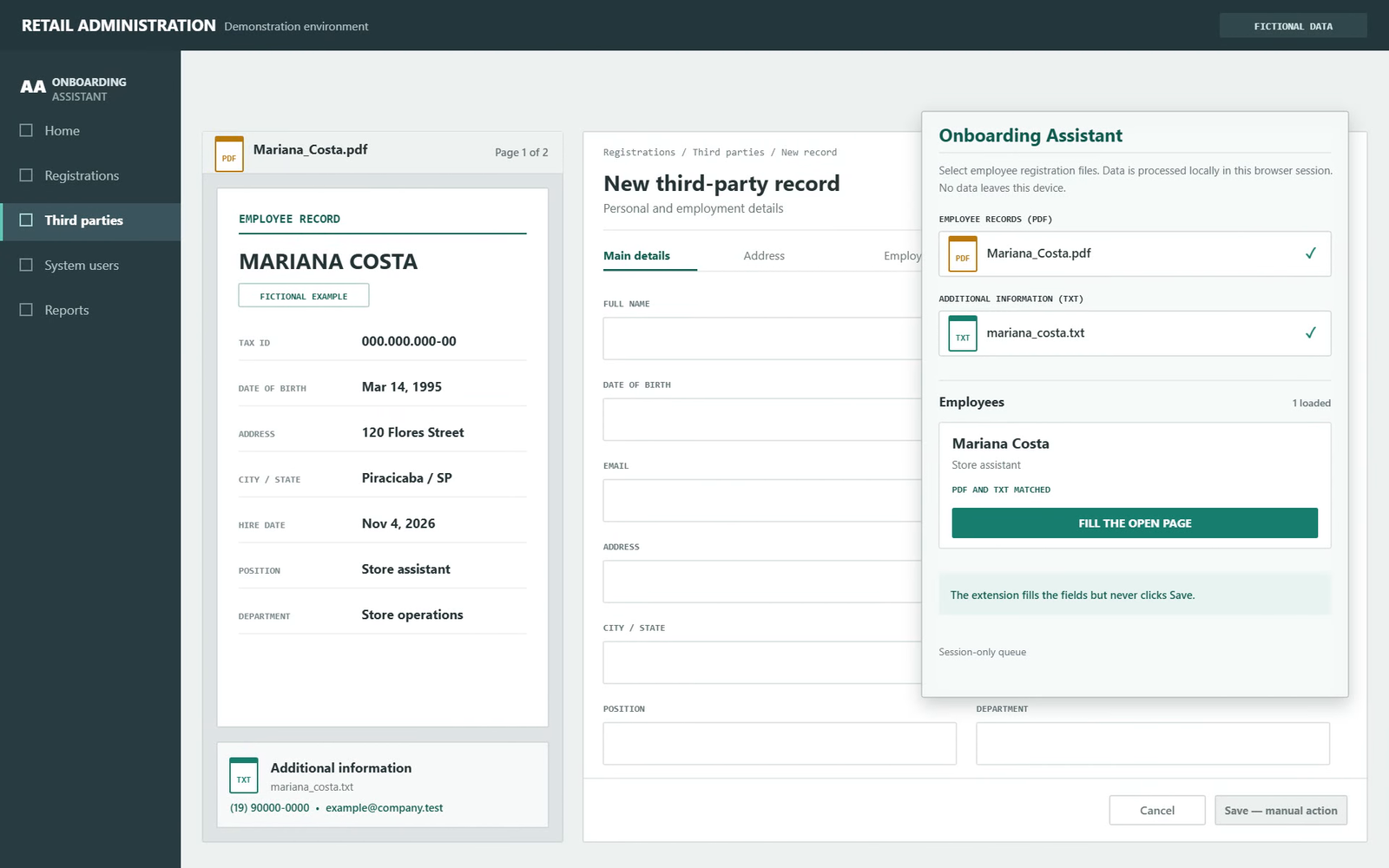
Hiring a new employee meant copying the same information into more than one form. This browser extension reads the employee’s PDF and TXT files on the computer, prepares the fields it recognizes and leaves the completed pages ready for review without pressing the final save button.
The challenge
The source documents already contained the employee’s name, address, tax number and employment details, but every destination form asked for them again. Repeating the entry field by field took time and made a typing mistake more likely precisely where the information needed to be reliable.
Who it serves
I designed it for the administrative staff member who receives the employee’s documents, checks their contents and completes the registration and bank-account forms.
What I built
I designed and developed the browser extension for Chrome and Edge. I compared the source documents with each destination form to map repeated fields and the different labels used for them. I then implemented PDF and text parsing, normalization rules, branch mappings, the temporary employee queue, page detection, guided filling and automated tests.
How it works
The Manifest V3 extension uses PDF.js to read documents locally in the browser. Its content scripts identify form controls from their labels and surrounding HTML, including dynamic Angular and Select2 fields. Chrome session storage holds the temporary employee queue, while esbuild produces the installable package.
Key decisions
- Read the employee documents on the computer and request access only to the form currently open. The task does not require sending those files to a server.
- Stop before the final save because recognizing a value is not the same as confirming it. A person reviews the prepared fields and decides whether to submit the record.
- Match PDF and text files through a normalized employee name, keeping the temporary queue only for the current browser session.
Outcome
One set of source files can now prepare the required onboarding pages in sequence. Values the extension can identify are filled in, while anything missing or ambiguous remains visible for the responsible person to resolve before saving.